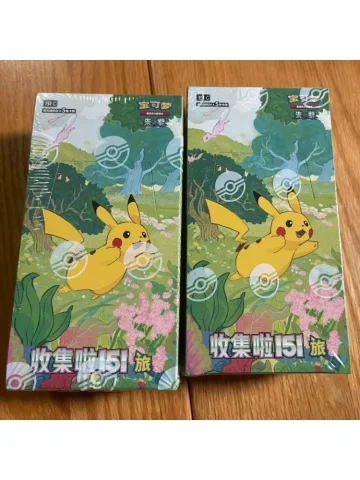
Identify the sales unit
Start by stating whether the quantity refers to individual booster packs, sealed boxes, bundles or another option shown on the product page. Do not assume that one listing title represents one fixed sales unit.
Add the exact SKU to the quote list whenever several pack counts or box formats appear under the same product. This reduces mistakes when stock and final unit pricing are checked.
- Exact SKU or product link
- Pack, sealed box or bundle
- Requested quantity in that unit
- Language and market edition
Confirm set and language separately
Artwork alone is not enough to identify a booster product. Similar characters may appear on Simplified Chinese, Traditional Chinese, Japanese and English releases with different set codes and pack configurations.
Use the edition filter as a starting point, then ask for current front, back, label and seal photos when the language or exact set cannot be confirmed from the listed option.
Quote product value and freight separately
Final unit pricing depends on the SKU, quantity, stock and total order mix. International freight depends on the packed weight, volume, destination and selected service.
Ask for a quote that separates product value from freight. Import duties, taxes and local clearance charges are not included unless the quotation expressly says otherwise.
Check packaging before payment
If sealed condition or display-box quality matters to your customers, state the required standard in the first enquiry. Ask for current product and packing photos instead of relying only on catalog images.
Before payment, match the quote against the SKU list, quantities, destination, freight method and any agreed packaging requirements.
Catalog details identify the requested products, SKUs and option IDs. Current stock, MOQ, final prices, freight and preparation time are confirmed during quotation before payment.
Continue reading